

Markdown is how developers, technical writers and most note-taking apps keep text. Everyone else gets sent a .md file and has no idea what to do with it. That is the whole reason Prosely exists: it opens that file, shows it the way a word processor would, and saves it straight back as Markdown. A colleague can edit a README, a spec or a set of release notes and send it back without ever meeting a hash or an asterisk — and what comes back still drops cleanly into a repository.
Pick a heading from the style menu, press B, click the bullet button. You never have to learn what ## or ** mean, because you never have to type them.
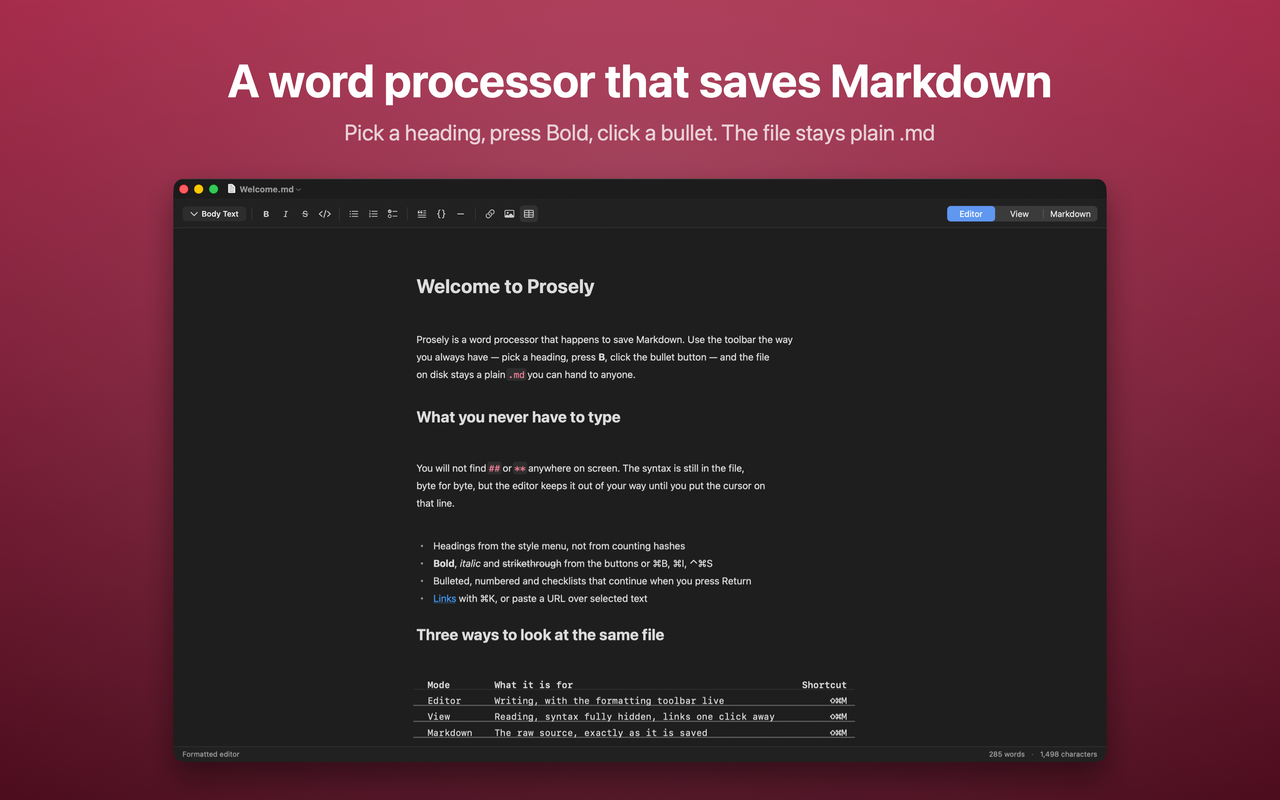
One file, three ways to look at it
A switch at the right of the toolbar picks the mode:
- Editor — formatted and editable, the toolbar live. Put the cursor on a line and that paragraph's markers reappear, so it is always clear what is really in the file.
- View — read-only and completely clean. No markers, no caret, links open on a single click.
- Markdown — the raw source, exactly as it is saved.
Switching is instant and lossless, because nothing is converted between them. It is one buffer, shown three ways.
How it works
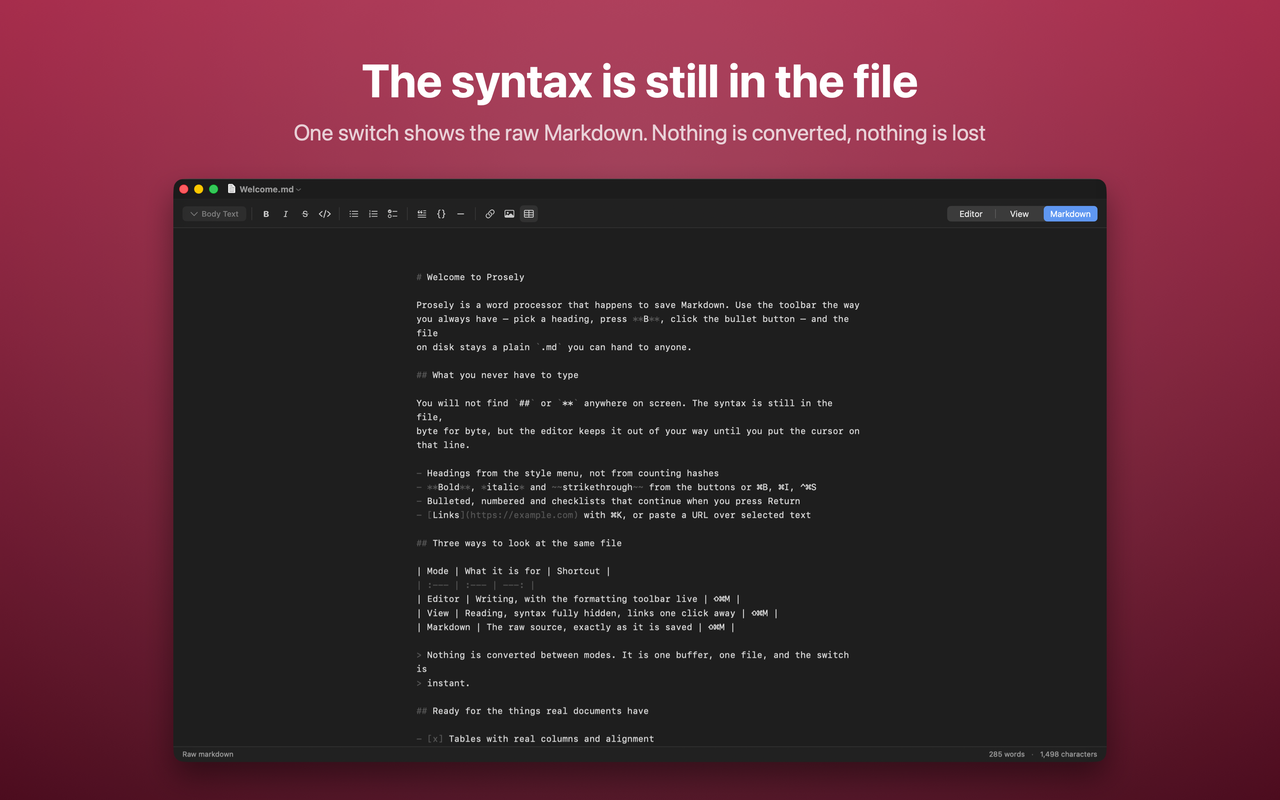
The Markdown text is the document. Nothing is ever converted into a rich-text model and back, which is what makes a file round-trip byte for byte — the parts you did not touch stay untouched. Three pieces sit on top of that single buffer:
- A scanner classifies every line and finds inline runs, reporting exact ranges and never altering a character.
- A styler turns those ranges into text attributes — fonts, indents, colours — and tags the syntax characters.
- A custom layout manager gives tagged syntax characters null glyphs, so
##takes no space but stays in the file, and draws what Markdown has no characters for: bullets, numbers, checkboxes, quote bars, code backgrounds, rules, table rules.
Hiding rather than removing is the whole trick. Every other approach I looked at parses Markdown into a model, renders the model, and serialises it back — and that round trip is where other people's files get quietly rewritten.
Handing documents back to the Word world
An app for people who do not know Markdown has to meet the tools they do use. AppKit's attributed strings read and write RTF, HTML, DOCX, DOC and ODT, and the styler already produces an attributed string — so one bridge in both directions unlocks four features: export as Word, Rich Text, Web Page or OpenDocument; copy as rich text to paste into Word, Mail or Slack; paste from Word and keep the formatting; and import a .docx and carry on in Markdown. An import converts into the current document rather than saving over the original, so opening someone's Word file can never write Markdown into it.
One platform limitation is worth naming rather than hiding: AppKit's Office Open XML writer drops hyperlink URLs — the link text survives, the address does not. Rich Text and Web Page keep both, and Word opens RTF natively, so that is the format to use when links matter.
The rest of it
- Tables with real columns and left, centre or right alignment taken from the delimiter row.
- Syntax highlighting inside fenced code blocks, about 40 language aliases resolving to 14 tokenisers.
- A Quick Look extension: press space on any
.mdfile in Finder and see it the way the app does. - Focus mode, typewriter mode, an outline sidebar built from the headings, and four themes.
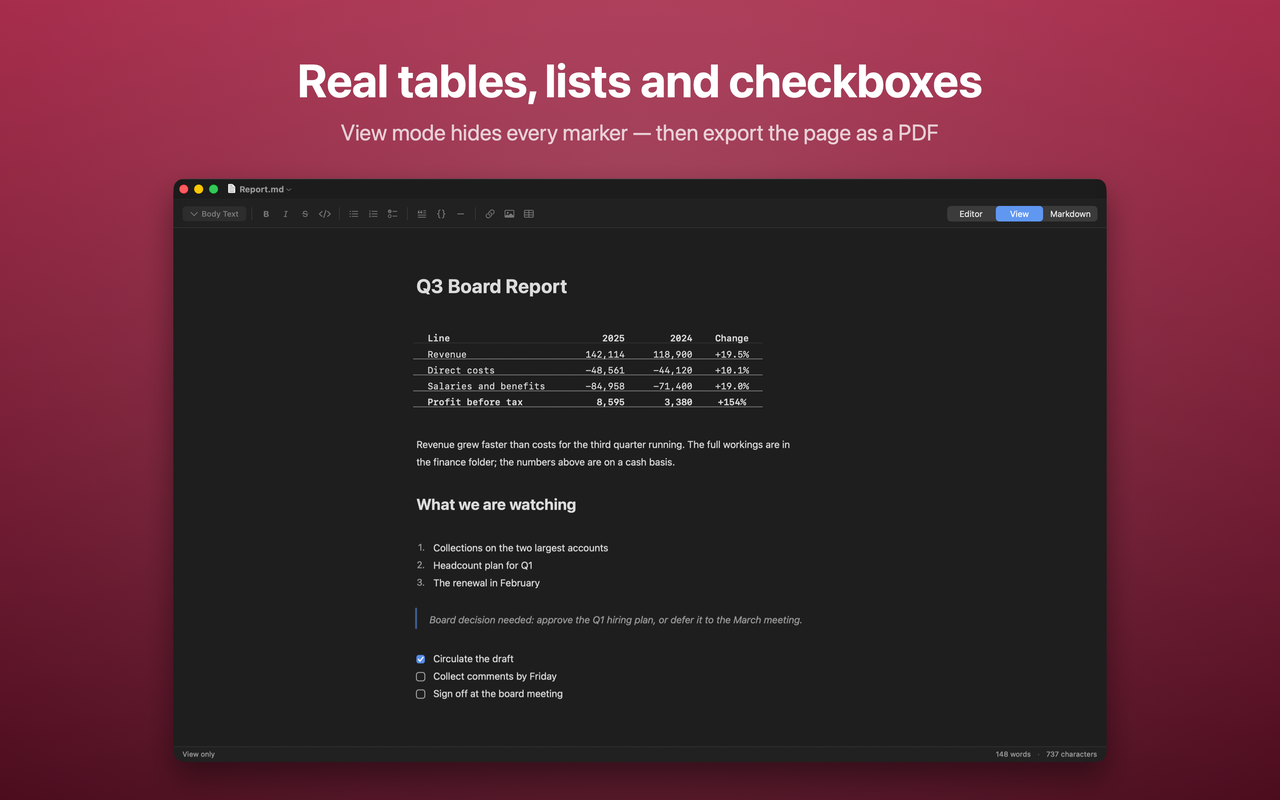
- PDF export and printing through the same rendering stack in view mode, so the page matches the screen minus the syntax and the caret.
- Images drawn in place, kept as relative paths, and carried into exports as real attachments.
- Insert a map of any place, drawn with MapKit.
Accessibility, and a problem the premise creates
Syntax is suppressed at the layout level, but VoiceOver reads the text storage — so a screen reader would still hear "number sign number sign Findings", which is the app's whole premise undone in audio. The fix is not to lie to VoiceOver about the file. Moving the caret into a different kind of block announces what it is — "Heading 2", "Bulleted item, level 2", "Quote", "Code" — only when the kind changes, never for ordinary prose. The rotor moves by heading or by link the way it does on a web page, toolbar controls report On or Off rather than just their icon's name, and the caret never gets stranded inside a zero-width marker.
Privacy
No account, no subscription, no cloud, no analytics. The one network path in the app is the map inserter: searching for a place uses Apple's MapKit, so that search term reaches Apple. No document text ever leaves the machine.
Download
Prosely is a native Mac app written in Swift with AppKit and SwiftUI, and needs macOS 15 or later. It is $4.99, a one-time purchase — no subscription, no in-app purchase:
If you have a Markdown file you keep having to explain to somebody, that is the case it was built for. Tell me how it goes.